Station Tour

A walk through the real app

Thirteen screens, in the order you’d use them: build a rule, turn it into a strategy, test it on the past, run it, watch it and get alerted — then share it, check your account and hand it all to your AI assistant.

01
Build

Expression Builder

Every alert and strategy starts with a rule, like “RSI below 30”. Type it and press Parse, click an example, or press Generate with AI.

Pick alert channels right here to turn a rule into an alert.
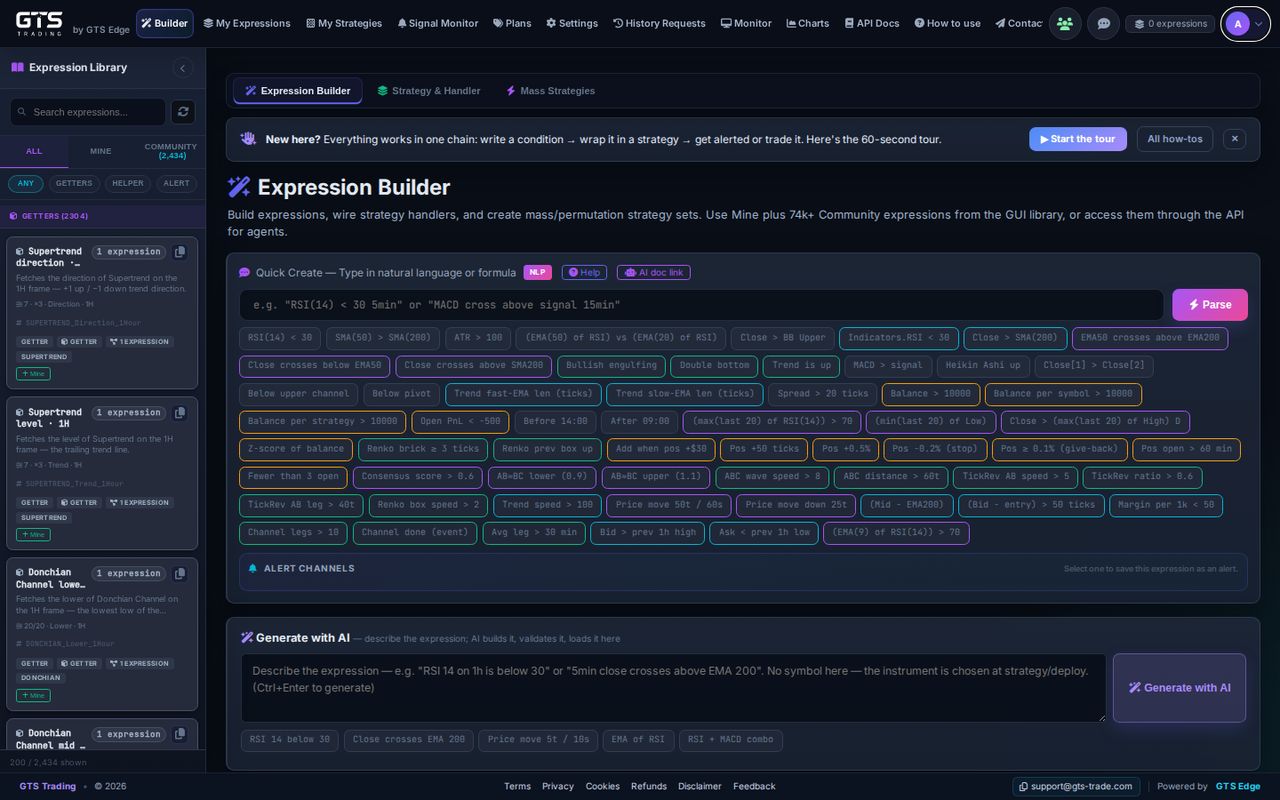
Expression Builder with Quick Create, example chips, alert channels and Generate with AI
For developers

Every signal is one expression — Left OP Right over 30+ element types: indicators, candles, price moves, OHLC, quotes, fundamentals, account state and your own code. Quick Create accepts plain English or a formula.
02
Build

Strategy & Handler

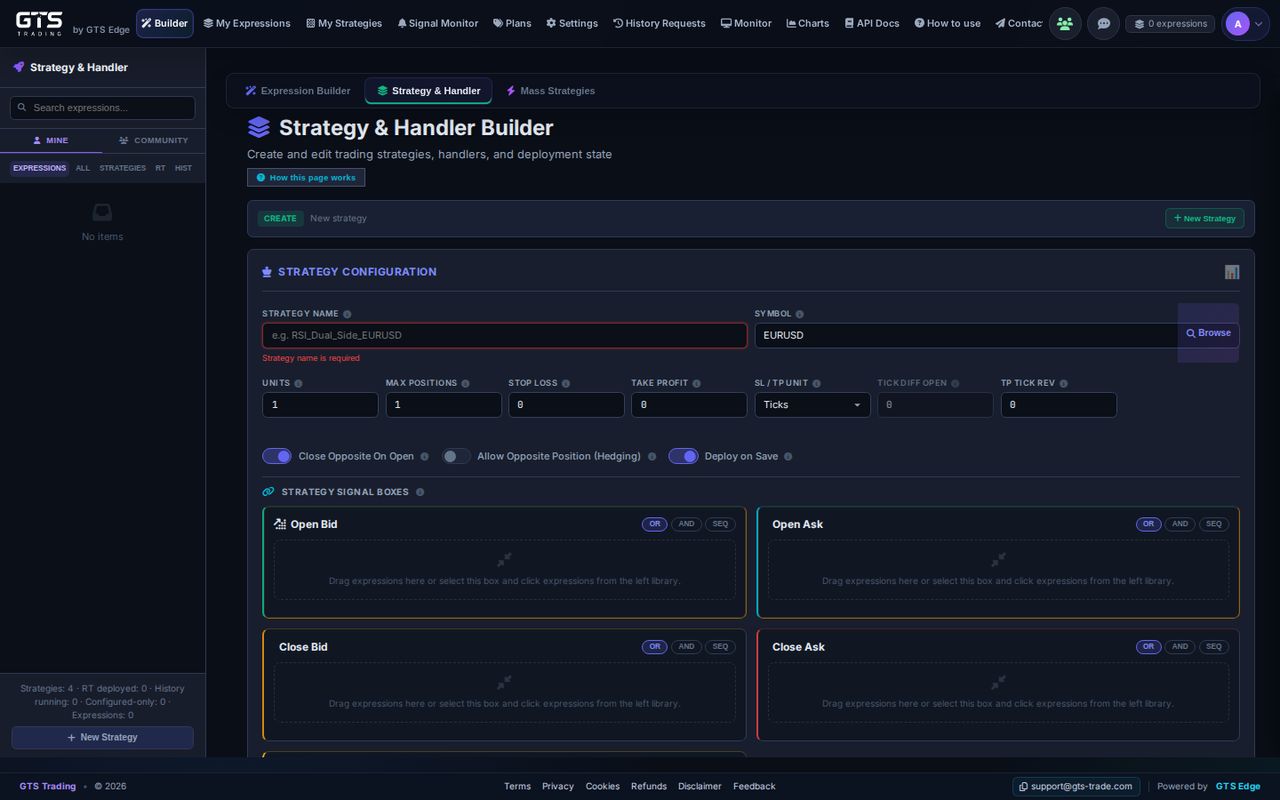
A strategy is a market, a trade size, a stop loss and a take profit. Four boxes — Open Bid, Open Ask, Close Bid, Close Ask — decide when trades open and close.

Drag rules in and join them with OR / AND / SEQ (one after another).

Strategy and Handler builder with strategy configuration and four signal boxes
For developers

Strategy settings include max positions and toggles such as close-opposite-on-open and hedging. Each signal box is a handler; the same expression can drive entries, exits or an alert-only handler.

03
Build

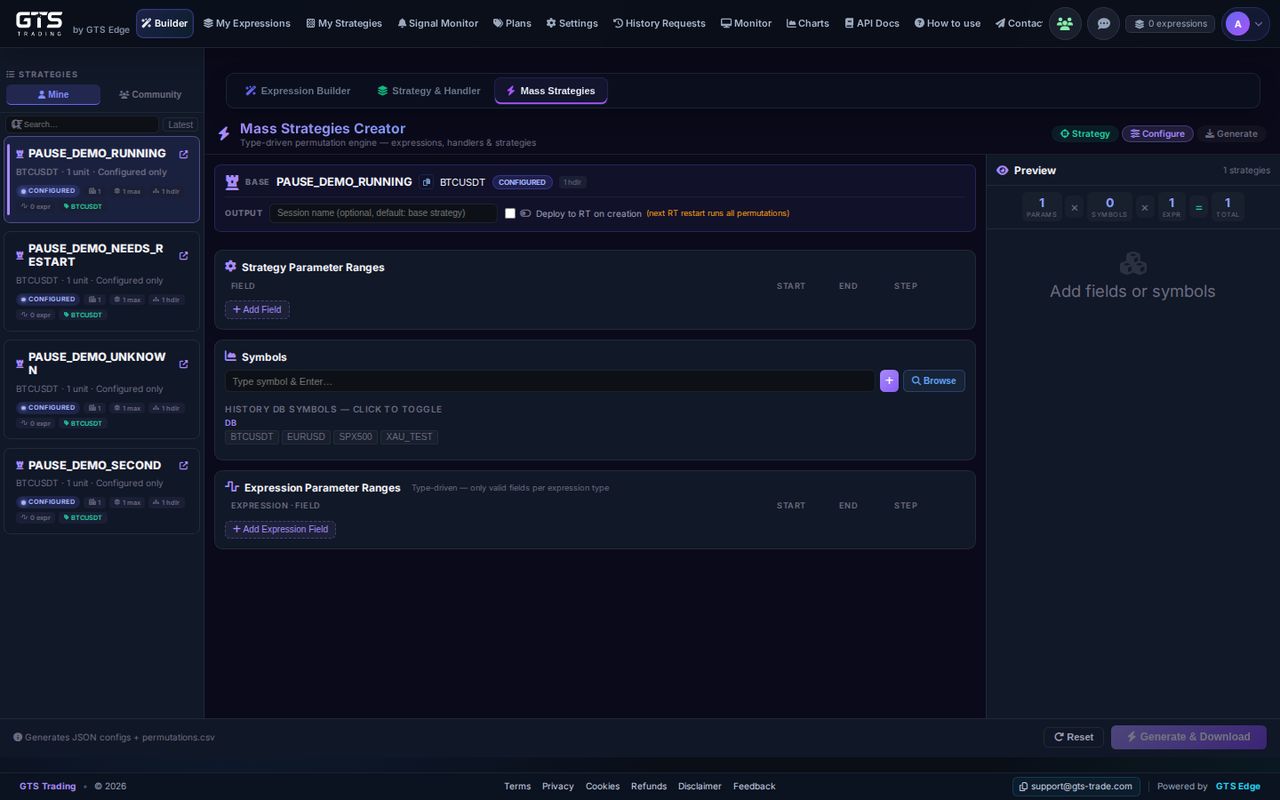
Mass Strategies

Turn one strategy into many versions: set ranges for its settings and add markets.

Then back-test them all and see which did best. How many per run depends on your plan.

Mass Strategies Creator with parameter ranges, symbols and preview
For developers

The permutation builder multiplies strategy parameter ranges × symbols × expression parameter ranges; generated packs go straight into history runs. Permutations per run are set by plan.

04
Run

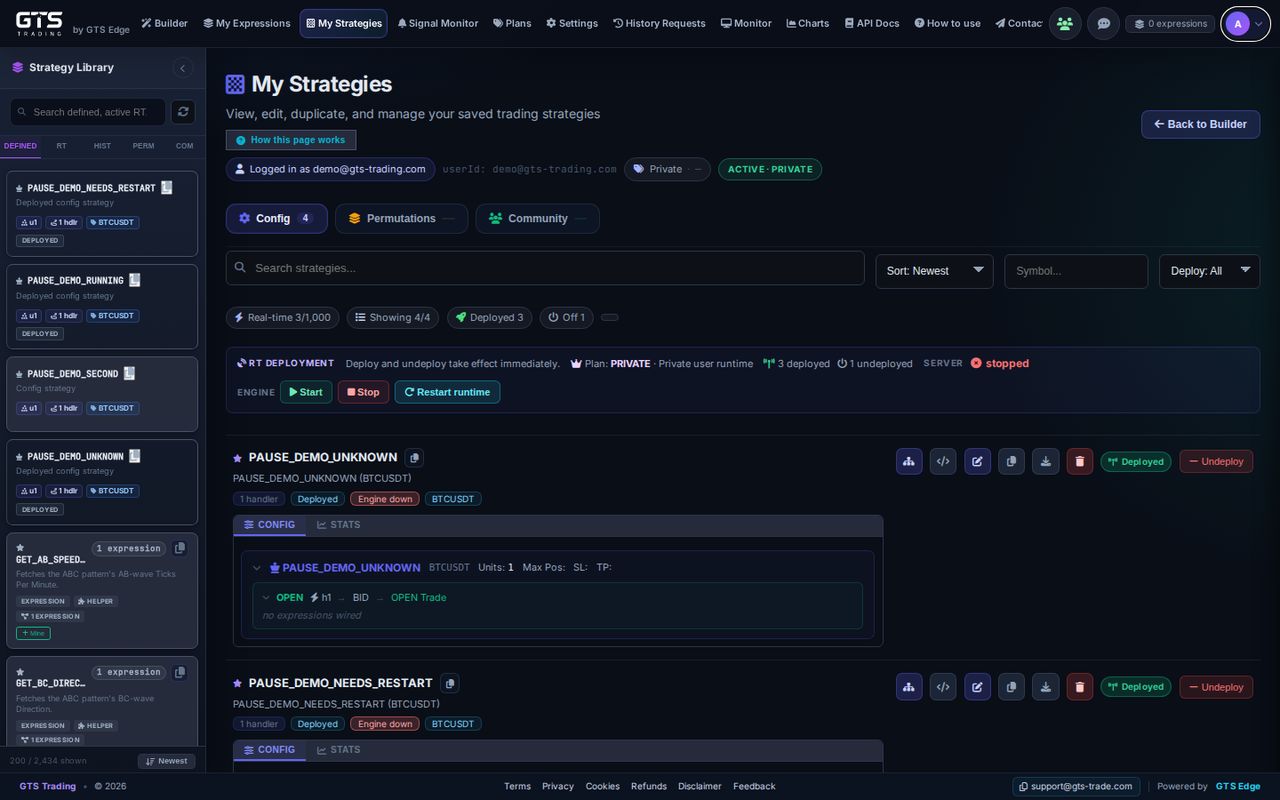
My Strategies

All your strategies in one list, each showing whether it’s running or paused.

Pause and resume one in about a second; the others keep running.

My Strategies list with runtime deployment panel and status badges
For developers

Sources: Config, Permutations and Community. The runtime panel starts, stops and restarts the engine; per-strategy deploy and undeploy. Status badges reflect the real engine state: deployed, running, paused, needs restart or engine down.

05
Monitor

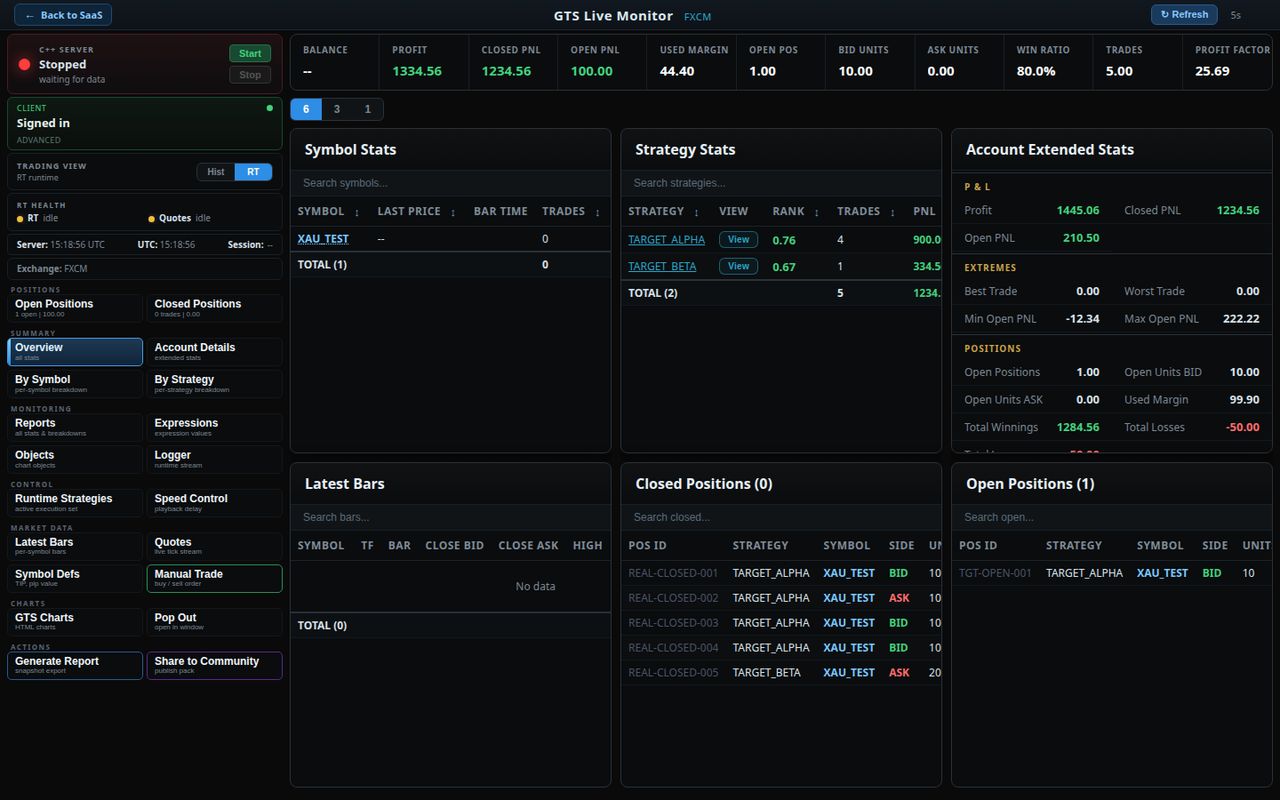
Live Monitor

Everything running, live: balance, profit, open and closed trades and win rate.

Open daily, weekly and monthly reports, or place a trade yourself.

GTS Live Monitor with KPI strip, symbol and strategy stats, account stats and positions
For developers

KPI strip: balance, profit, closed and open P&L, used margin, win ratio, profit factor; extended account stats; account snapshots; real-time and history sessions; runtime logger; Manual Trade panel.

06
Test

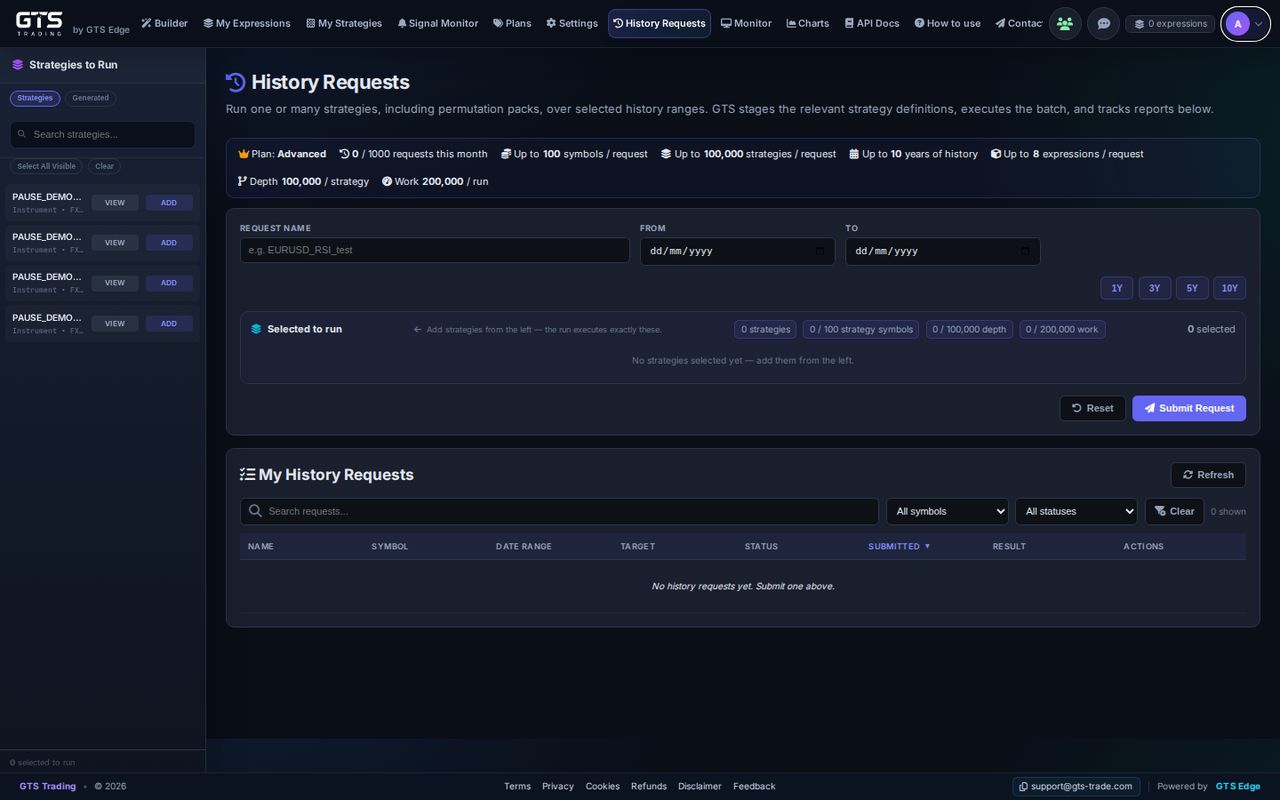
History Requests

Test one strategy or many on minute-by-minute history, with the same engine that runs live.

Pick how far back (1Y / 3Y / 5Y / 10Y, by plan), submit, and open each report.

History Requests with plan limits, date range and request list
07
Alert

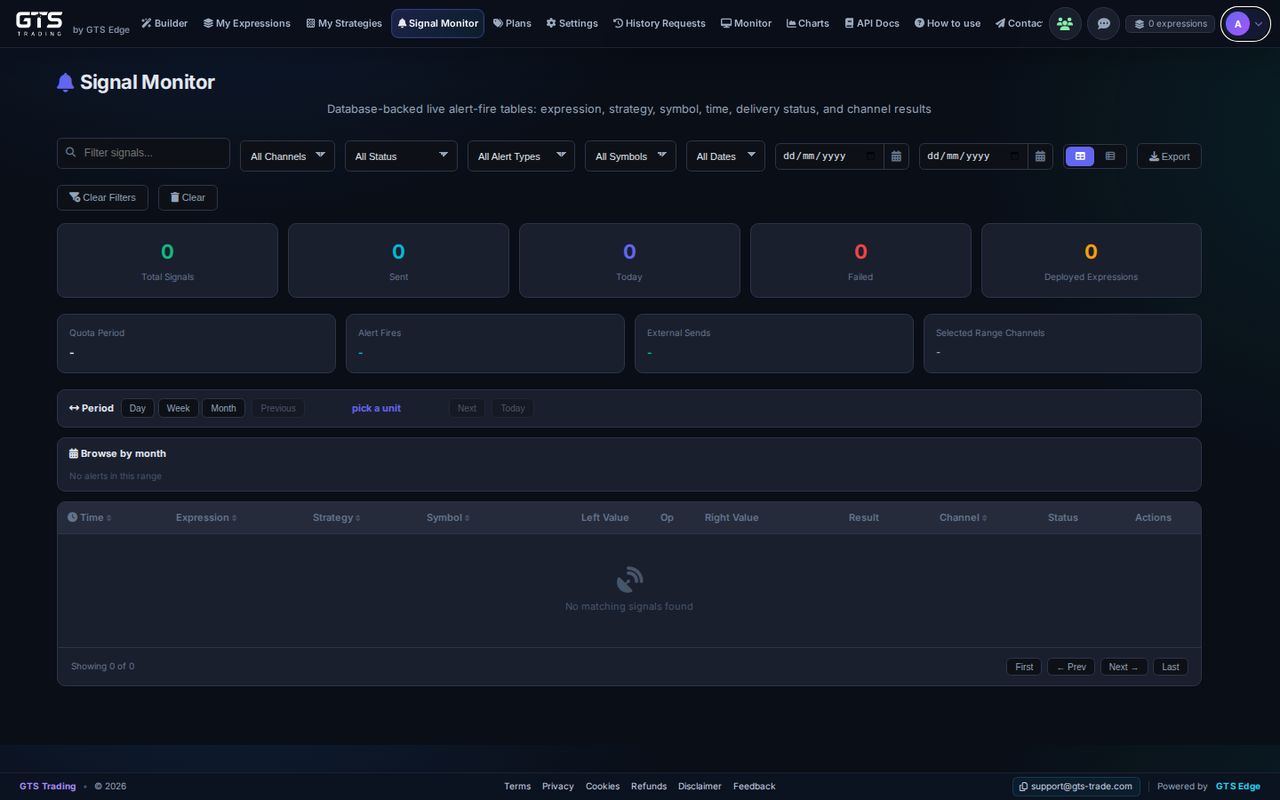
Signal Monitor

Every alert that fired: which rule, which market, when, and whether it was delivered.

Filter by channel, status, market and date, and export.

Signal Monitor with filters, totals and alert table
For developers

Each fire is stored in the database with expression, strategy, symbol, time, left and right values, channel and delivery status.

08
Alert

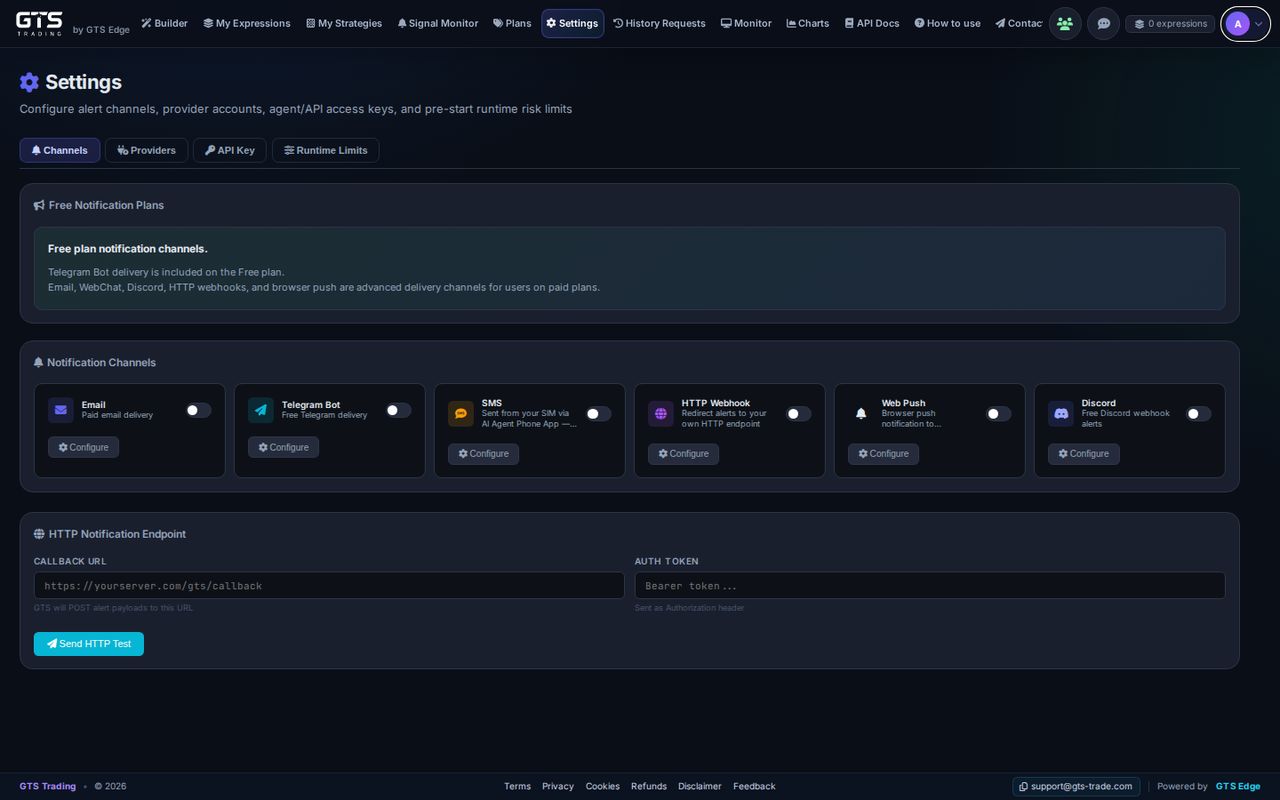
Alert Channels & Settings

Switch on where alerts go: Email, Telegram, SMS (supported countries), Webhook, browser push and Discord.

Other tabs connect your exchange, hold your personal key and set safety limits.

Settings page with notification channel cards and HTTP endpoint
For developers

Channels include an HTTP webhook endpoint and Web Push. Other tabs: broker providers, the API key for agents, and pre-start runtime risk limits.

09
Share

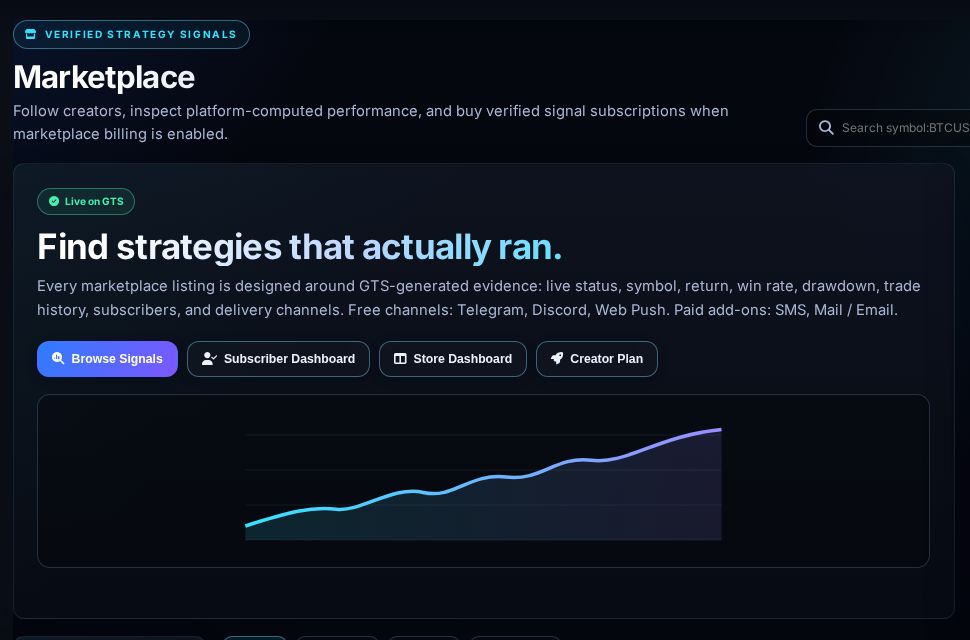
Marketplace

Follow strategies that actually ran, with their real results. Paid strategies are $2.50 a week from credit; creators keep 93%.

Creators manage everything in the Store Dashboard. Comes with paid plans — opening soon.

Marketplace page: find strategies that actually ran
10
Account

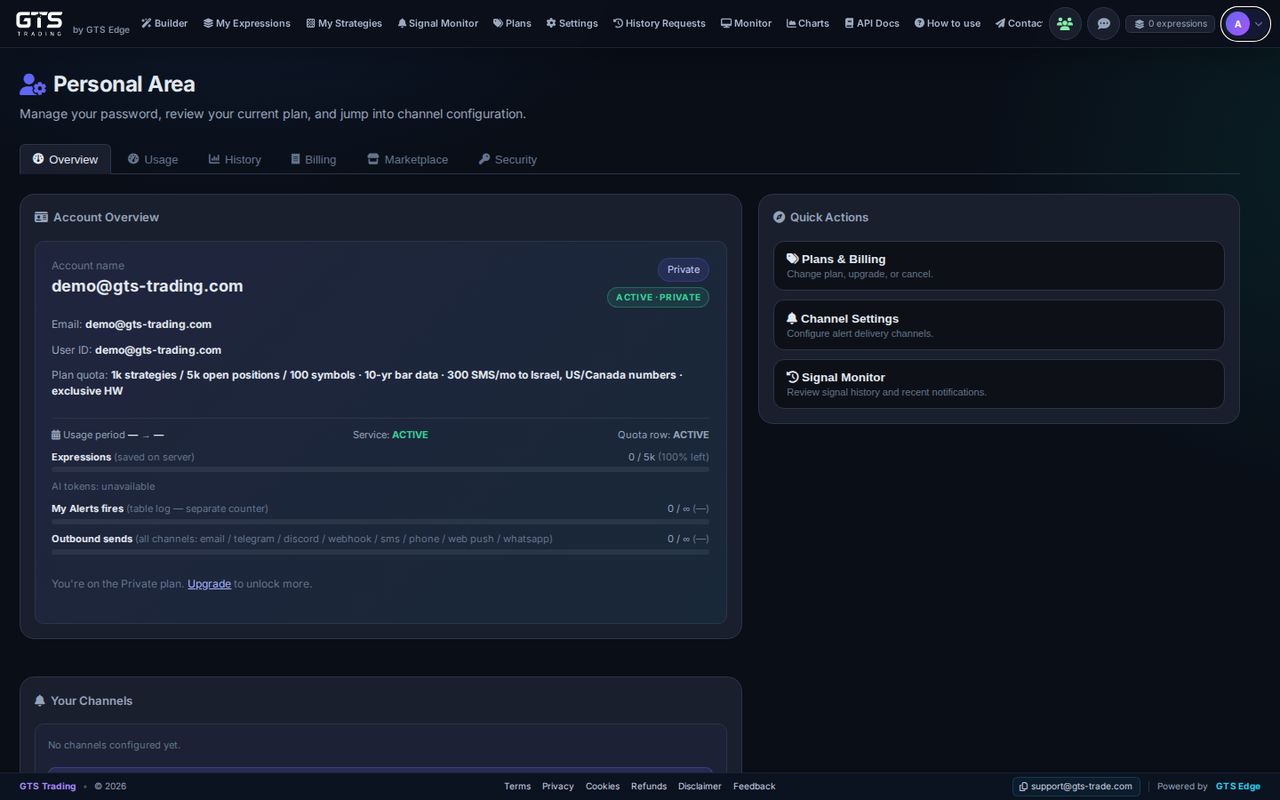
Personal Area

Your account in one place: your plan, what you’ve used and your channels.

Tabs for Usage, History, Billing, Marketplace and Security.

Personal Area overview with plan, usage counters and quick actions
11
Account

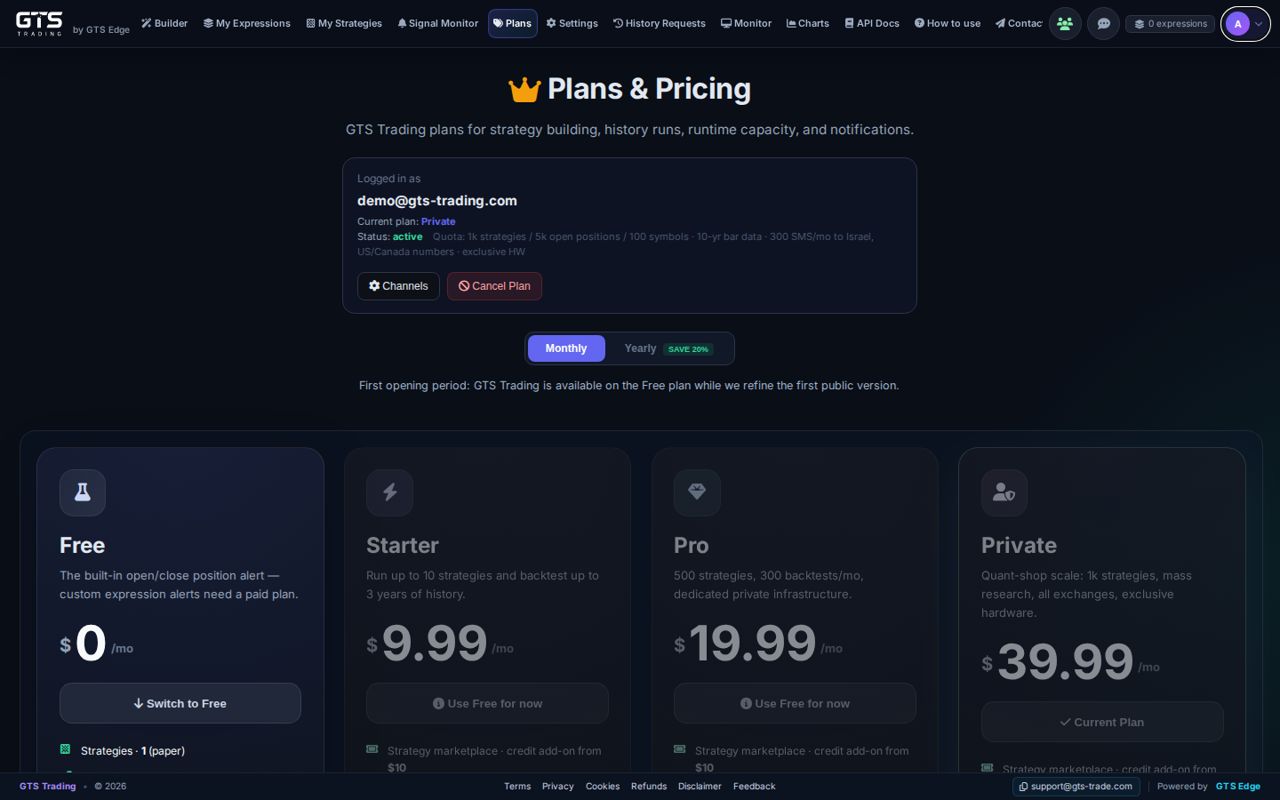
Plans

Free, Starter, Pro and Private, monthly or yearly. During the opening period everyone is on Free; paid plans are opening soon.

Compare them in the plan limits table.

Plans and Pricing page with Free, Starter, Pro and Private cards
12
Research

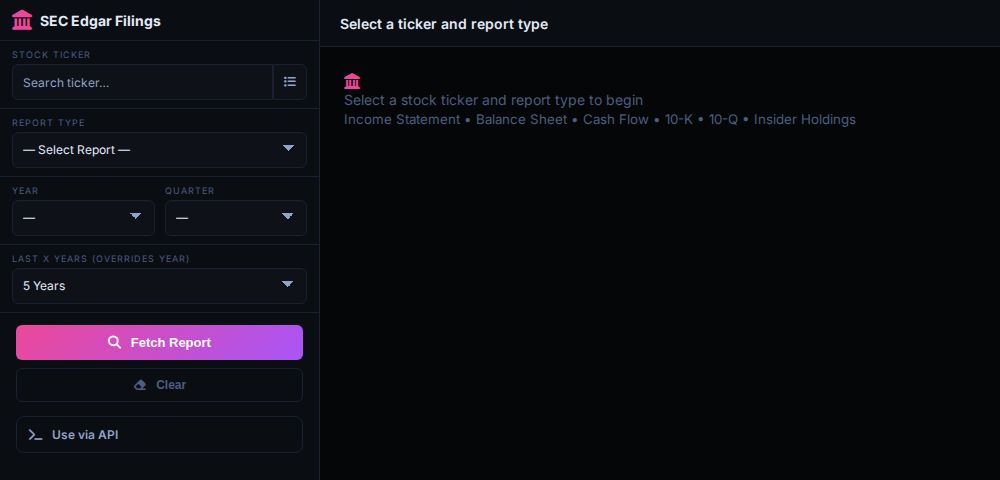
SEC Edgar

Official company reports from SEC EDGAR — income, balance sheet, cash flow, insider holdings — for any year or quarter, ready to download.

Use the same numbers, like P/E ratio, in your rules and alerts.

SEC Edgar Filings explorer with ticker, report type and period selectors
For developers

Reports include 10-K and 10-Q; export CSV or use it via API. Fundamentals such as marketCap, trailingPE and revenue TTM are expression elements.

13
Automate

API Docs

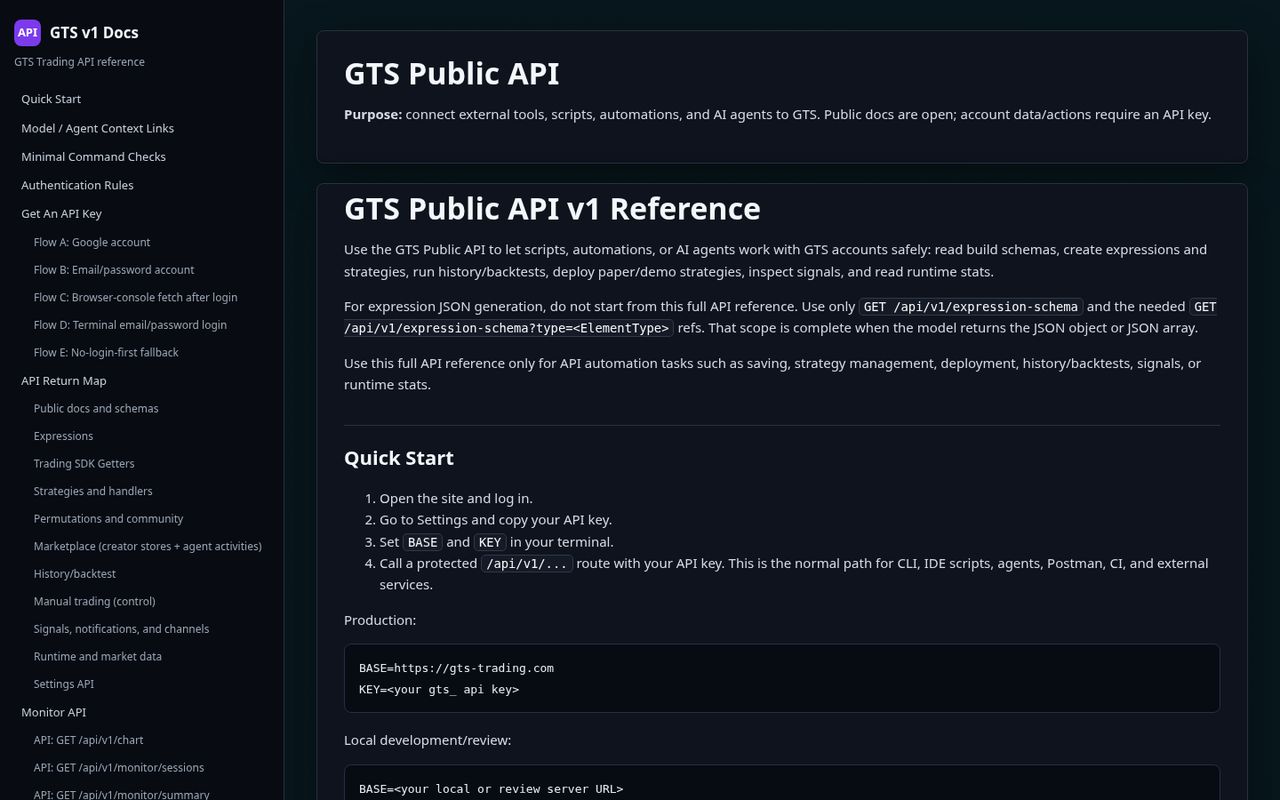
The full reference for developers and AI assistants — 360+ actions in all.

Give your personal key from Settings to Claude, Codex, Gemini or your own assistant and let it do the work. New to this? Try the University or the how-to guide.

GTS Public API v1 reference with quick start and section index
For developers

The v1 reference: quick start, agent context links, authentication, expressions, SDK getters, strategies and handlers, history, marketplace, signals and channels, runtime and monitor APIs — 360+ endpoints. Set BASE and KEY and the agent can build, backtest, deploy and monitor end to end.

Try it yourself

Everyone is on Free during the opening period. Build your first rule in two minutes. Not financial advice.